Making a Hug Video From Photos With AI: What "Free" Really Gets You
People make hug videos for three reasons. A reunion that is still a flight away. A relative who lives far from the grandchildren. Or a photo of someone who has died, animated once, gently, for a memorial. The tools behind all three are the same, and so are the traps: a "free" label that ends at a watermark, a login wall that appears at the download button, and a question nobody asks before they click upload, which is whether the people in the photos would want this. This guide compares the official pages of four services, read on November 18, 2026: what they state, and what they leave out. Disclosure: the Deevid AI links on this page are affiliate links, and we earn a commission if you subscribe through them, at no cost to you.
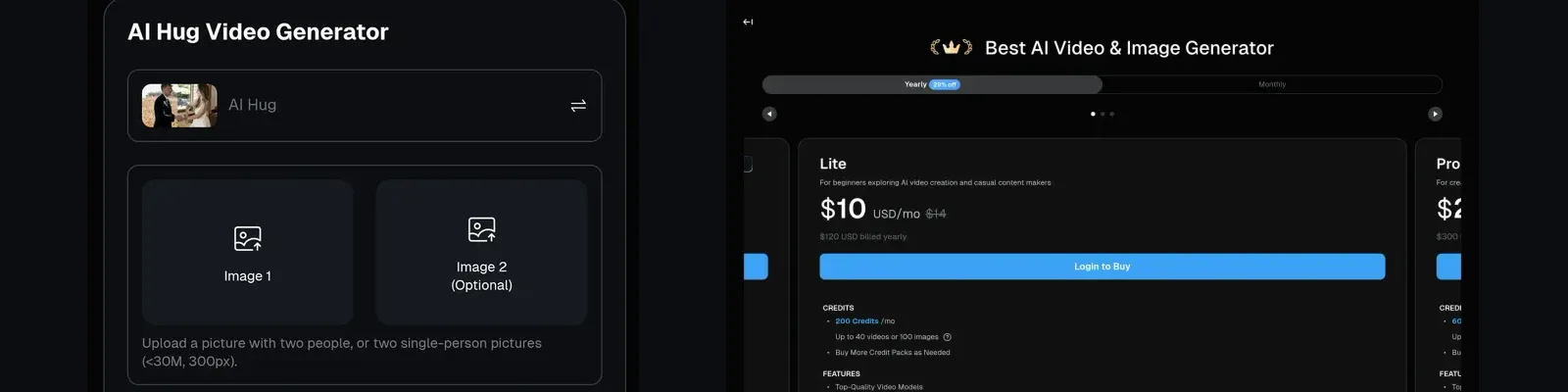
Upload one photo with two people, or two single portraits, to an image-to-video tool that has a hug template, then generate and download a short clip. Every tool we read advertises a free way in, but none of the pages we read promises a watermark-free file without limits, so check the download step before you commit. As of November 18, 2026, Deevid AI has a dedicated AI Hug page and gives new accounts 20 free credits, with watermarks on free videos.
What an AI hug video generator actually does
An AI hug generator is an image-to-video model with a preset motion. You give it a picture of two people, or two separate pictures, and it invents a few seconds in which they turn toward each other and embrace. There is no prompt to write on most sites, because the template carries the instruction. If you want to understand the machinery underneath, our guide to animating a photo with AI covers it, and the general free image-to-video tools page lists the options beyond hugs.
The result is a generated clip, not a recording. Faces drift, hands sometimes merge, and the hug itself is the model's guess at how bodies meet. That does not make it useless. A short, slightly imperfect clip of two people you love can land better than a polished stock animation, as long as you know what you are looking at.
Search interest in this niche is real but small. The phrases people type are close variants of the same idea: ai hug generator, ai hug video generator free, ai hugging video, and the longer version with "without login" attached. Google's related searches for these queries also point at two-photo hugging, hug apps and TikTok versions of the trend. We mention this only to explain why the pages we compare below all use nearly the same wording.
Three honest uses, and one that needs care
The effect fits some situations well and others badly. Here is how we would sort them.
- Reunions and surprises. You and a partner or friend are about to meet again, and a short clip made from two photos is a playful way to announce it. Low stakes, easy to redo.
- Staying close at a distance. Two photos taken in two cities, joined into one embrace. The two-photo mode exists for exactly this, since the people were never in the same frame.
- Family occasions. Grandparents and grandchildren, siblings abroad, a birthday message. A hug reads as safer and more universally welcome than the romantic effects we cover in our AI kissing video generator comparison.
- Memorials. Animating a photo of someone who has died, or of you with them. This is the use that needs the most thought, and we give it its own section below.
What the effect is not for: making a clip of a person who has not agreed to it, a celebrity, an ex, a colleague, or anyone under 18. We come back to that, and we mean it.
What to check before you upload a single photo
Every hug generator page we read says some version of "free". The word does a lot of work. Here is the checklist we would run, in the order that saves the most time.
- What is free exactly? A number of credits, a daily allowance, a first video, or a free tool with paid extras? Look for a number. If the page gives none, treat "free" as "free to try once".
- Is there a watermark? Free output often carries one. Find out whether you can remove it for free, with a purchase, or not at all.
- Is a login required, and when? Some sites let you generate before creating an account, then ask for it at download. Test the whole path with a throwaway photo, not a precious one.
- How long is the clip, and at what resolution? Several pages do not state either. A 360p preview can be fine for a message app and poor for anything you plan to keep.
- What happens to your photos? Read the privacy terms. Uploading faces to a free tool is a trade, and you should know what you are trading.
- Do the people in the photos agree? The most important line, and the one no tool can answer for you.
On the practical side, the pages agree on the inputs: one photo with two people, or two single-person photos, ideally front-facing, similar in size and lighting. Remaker's page adds that faces should be close together and proportions should match. That is sensible, and it matches what we say in our guide to making an AI kissing video, since the same models drive both.
How Deevid AI offers the hug effect
Deevid AI is the platform this site reviews, and we should be clear about what we could and could not confirm. On November 18, 2026 the page deevid.ai/template/ai-hug was live under the title "Free AI Hug Video Generator". It asks you to upload "a picture with two people, or two single-person pictures (<30M, 300px)". A second image slot is marked optional, so one photo with both people is enough. The only resolution we could see in the dropdown was 360p. There is a Login link and a Start For Free button in the header.
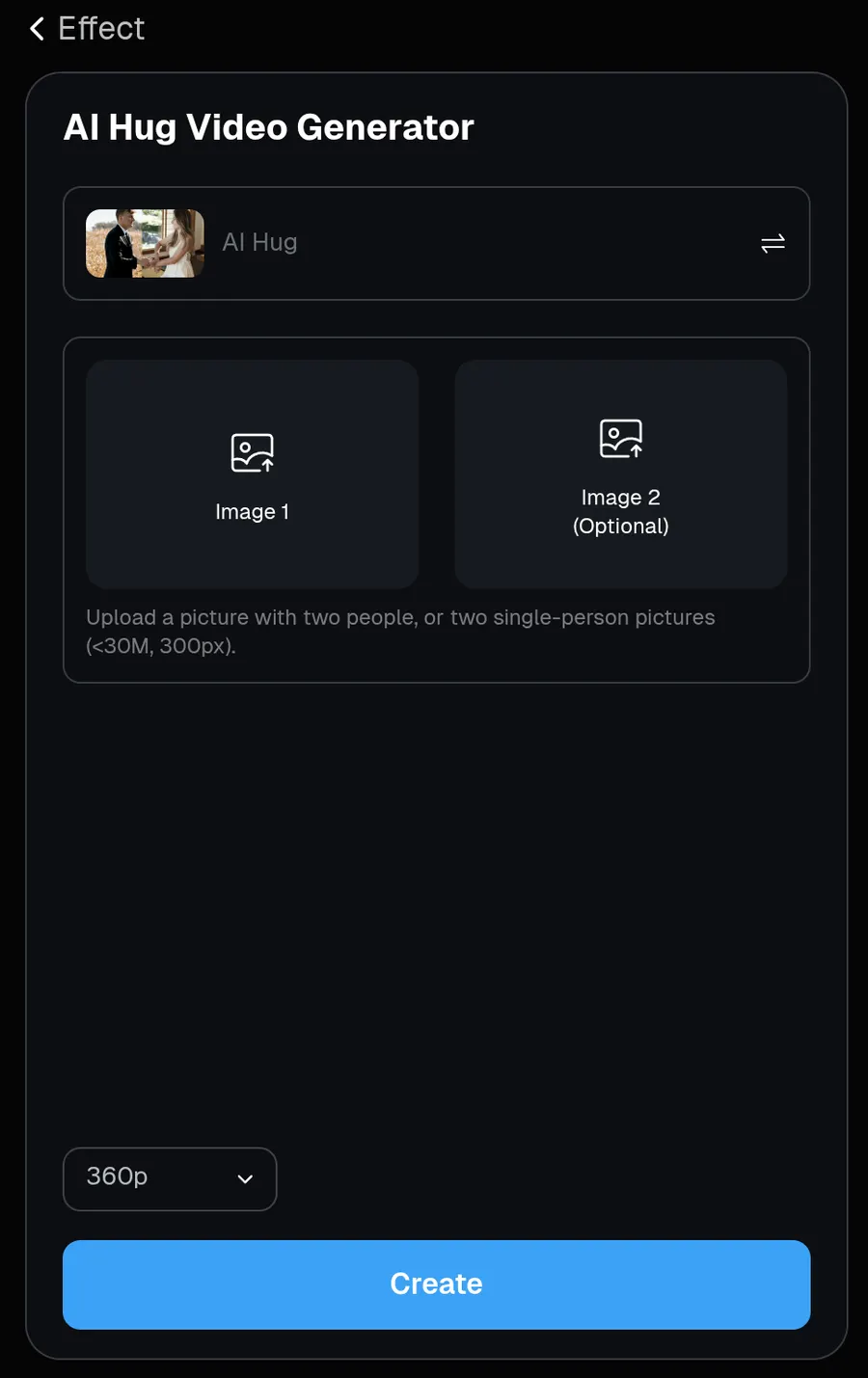
The page does not state a clip length, a credit cost per hug or a watermark policy, and it has no FAQ. We therefore do not state them either. The hug is a template inside the same studio that holds image-to-video, text-to-video, an image editor, avatars and music tools, and the pricing page talks about "100+ AI Video Templates and Effects" on the Lite plan.
You can open the template through Deevid AI and see the page for yourself. One caution on our own earlier material: our kissing comparison describes a kiss and hug effect inside Deevid. In this check we confirmed the hug template page, but we did not open a separate kiss template, so treat the hug as the confirmed one.
What free means on Deevid AI, according to its pricing page
This is where the vague word gets a number. As of November 18, 2026, the Deevid AI pricing page says new users get 20 free credits on registration, about 4 videos, and that videos from free accounts carry watermarks. So the free route is a small trial with a visible mark, not a way to produce unlimited clean clips. That is a normal arrangement. It is also worth saying plainly, because search results for this topic love the word "unlimited".
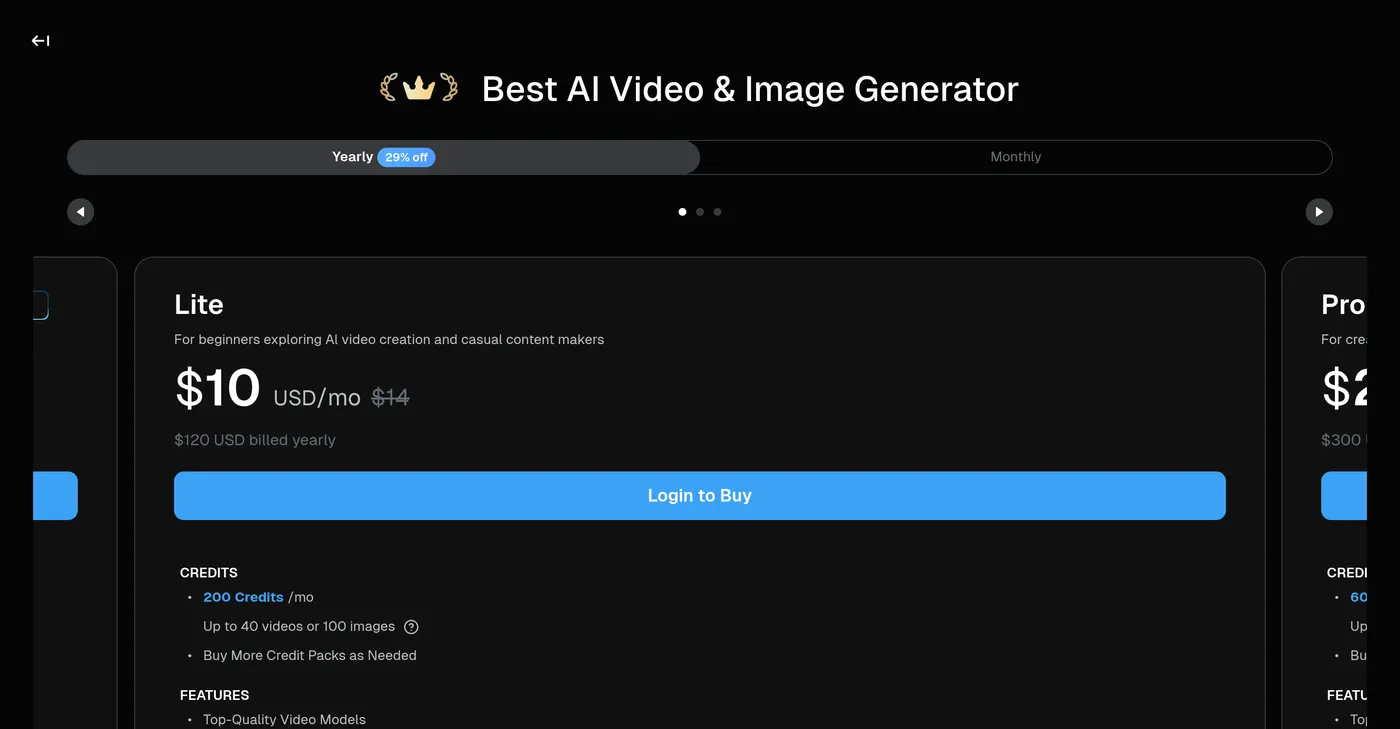
The paid plans listed that day:
| Plan | Price | Credits per month | Output | Watermark |
|---|---|---|---|---|
| Free | $0 | 20 credits on registration (about 4 videos) | Not published on the page | Yes, on free videos |
| Lite | $10/mo billed yearly ($120/yr), $14 month to month | 200 (up to 40 videos or 100 images) | 720P | None |
| Pro | $25/mo billed yearly ($300/yr), $35 month to month | 600 (up to 120 videos or 300 images) | 1080P | None |
| Premium | $119/mo billed yearly ($1,428/yr), $159 month to month | 3,000 (up to 600 videos or 1,500 images) | 1080P | None |
The page says yearly billing is 29% off, that extra credit packs can be bought on any plan, and that credits are valid for one year from purchase. The "about 4 videos" figure for 20 credits implies roughly 5 credits per video on whatever settings the page assumes, but the page does not say what a hug costs, so do not take that as a price for this effect. For a longer look at what each plan is worth, see the Deevid AI pricing guide.
Single-purpose hug sites: Vidu and Remaker
The second type of tool is a site built around the effect. Vidu runs a dedicated AI Hug Video Generator page. On November 18, 2026 it described the tool as free, offered templates for hugs featuring celebrities, anime characters and loved ones, and asked for "a single image with two people or two individual images of the same aspect ratio". The page does not mention a login, a watermark or a clip length. Vidu's separate kissing page says the service gives "dozens of monthly credits" without a figure, which we take as a hint at the kind of allowance behind the hug page, not as a confirmed number for it.

Remaker, which also has an AI Hug template page, says it has "both free and paid plans", with a limited number of free videos and credits for more. It accepts JPG, PNG and JPEG, and recommends close, forward-facing faces with matching proportions. It says nothing about watermarks, login or length on that page.
The benefit of this type is focus. You land on a page that does one thing, and a first clip can be fast. The cost is that when you want a second effect, a longer clip or a cleaner export, you are starting over somewhere else. For a one-off reunion clip that may be fine. For a family project that grows, it is a reason to prefer a studio.
"Without login" and "free": how EaseMate reads
Plenty of searchers add "without login" to the query, and the tool pages respond with careful wording. EaseMate's hug page is a good example because it states more than most. On November 18, 2026 its FAQ said you can use the free generator "without creating an account or logging in". The same page shows a Log In link, says a new-user offer gives free points after registration for one video, and says you can "download a watermark-free version at no cost". It does not say which route leads to which result, so read those lines as three separate claims you should check one at a time.
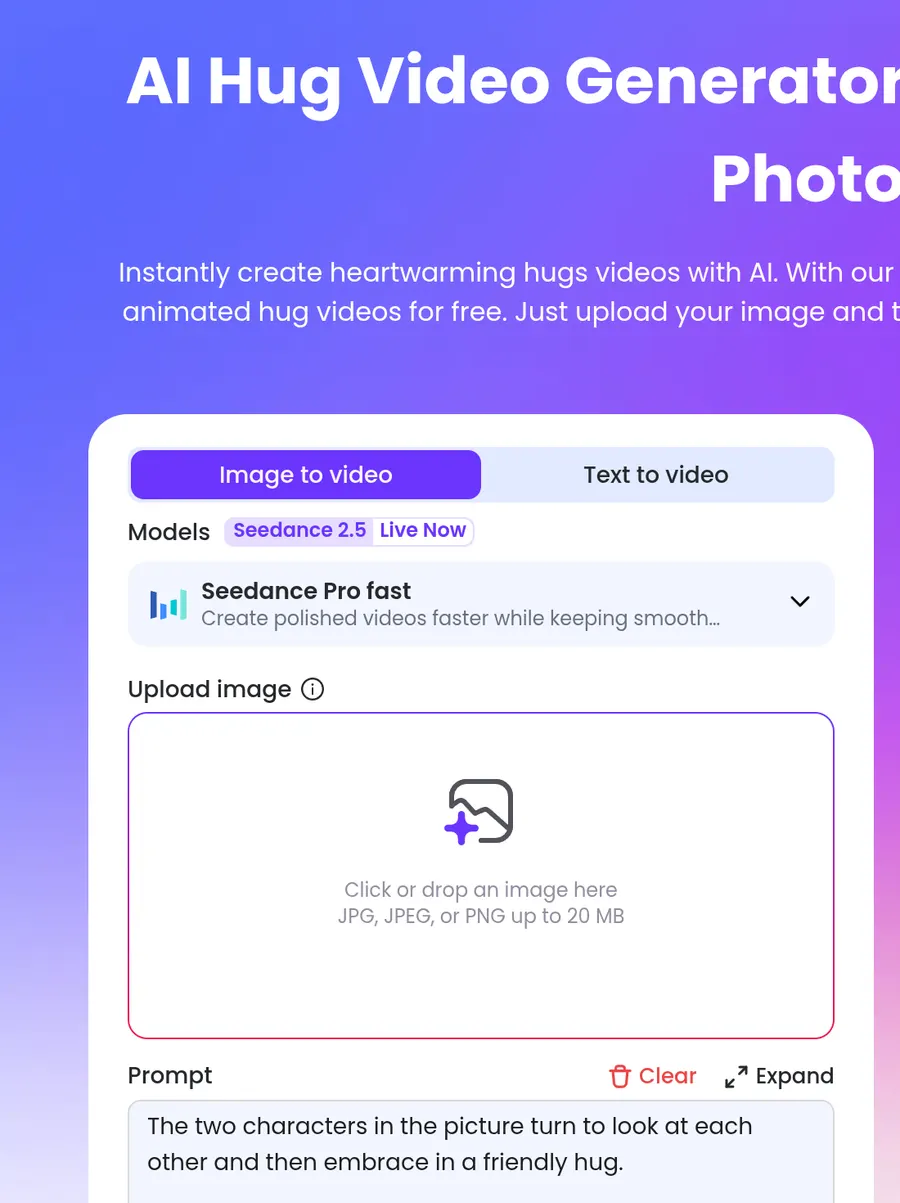
The upload form in our capture shows one image slot with JPG, JPEG or PNG up to 20 MB and a ready-made prompt, "The two characters in the picture turn to look at each other and then embrace in a friendly hug." Elsewhere on the page the form lists separate slots for two people and says "Credits required: 0" for the settings it displays, while the clip duration is a setting whose options are not listed. Because the page and the form differ slightly, expect the live tool to behave a little differently from any summary, ours included.
Our reading: "no login" can be true for generating and still leave a gap at the download. The honest test is simple. Upload a photo you do not care about, press through to the file, and see where the wall appears.
The tools side by side
All entries below are what each official page states as of November 18, 2026. "Not stated" means the page we read did not say, not that the answer is no.
| Tool | Type | Photos accepted | Free offer as stated | Login | Watermark |
|---|---|---|---|---|---|
| Deevid AI | Video studio with a hug template | One photo with two people, or two single photos (<30M, 300px) | 20 free credits on registration (about 4 videos) | Login and Start For Free shown; credits tied to registration | Yes on free videos, none on paid plans |
| Vidu | Single-effect page | One image with two people, or two images of the same aspect ratio | "Free for all users"; no figure given | Not stated | Not stated |
| EaseMate | Multi-tool site with a hug page | One image or two people slots, JPG, JPEG, PNG, up to 20 MB | Free generator, plus free points after registration for one video | FAQ says none needed; one-video offer needs registration | Says a watermark-free version is available at no cost |
| Remaker | Single-effect template | One photo with two people, or two single photos | Limited free videos, then credits | Not stated | Not stated |
Two things stand out. First, only one of the four gives you a number you can plan around, and it is Deevid's 20 credits. Second, the sites that say the most about "no login" say the least about what the final file looks like. Neither is a reason to avoid them. Both are reasons to test before you promise anyone a video.
Which type of tool fits which job
We would not crown a winner from documents alone, because we have not generated a hug in any of them and the pages disagree on what they cover. We can match the tool type to the job.
- One clip, today, no commitment. A single-effect page such as Vidu's or Remaker's, or EaseMate's generator, is built for this. Test the download path first.
- A small project with several clips. A reunion video, a family message, a memorial montage. A studio such as Deevid AI is more useful here, because the same account holds the image-to-video models, text-to-video and editing tools, and the hug is one template among 100+.
- A clip you will post or reuse. Look at paid plans. Deevid's pricing page lists no watermark from the $10 Lite plan, and its FAQ says generated videos can be used commercially, with the terms of service governing details. A personal family video does not need a commercial licence, but the watermark question still applies.
- Just a picture. If you only want a still image of two people together, you do not need a video tool, and an image generator is the cheaper path. Our kissing generator comparison explains the difference between the still and video versions of these effects.
Consent: whose face is it?
Every tool above is an ordinary web app. The risk is not in the software. It is in the photo. We would hold to these rules without exception.
- Use photos of adults who agreed. That includes you, a partner, family members who know what you are making, and clearly fictional AI faces.
- Never make a hug clip of a child you do not have authority over, and think twice even then. Uploading a minor's face to a free third-party service is something to weigh against its privacy terms.
- Do not use a celebrity, a politician, an ex or a stranger. Vidu's page advertises templates with celebrities. We would not use them. Likeness and harassment rules vary by country, and the harm to the person is real whatever the law says.
- Read what the tool does with uploads. A free service that stores faces deserves a look at its terms.
- Say it is AI when you post it. A clip that looks like a recording and is not should be labeled. Most platforms now ask for it, and viewers appreciate the honesty.
This is general guidance, not legal advice. If a clip involves anyone who has not agreed, the answer is to not make it.
Animating a photo of someone who has died
This use deserves care and a few practical suggestions, not a rule. Some families find a short animated embrace a comfort, a way to see a loved one once more in motion. Others find it unsettling, even painful. Both reactions are legitimate. The model does not know the person. It invents the movement, and what it invents may not look or feel like them.
- Ask the closest relatives first. A clip that is private for you can be shocking when it appears in a family chat.
- Keep it private by default. Make it for yourself, watch it, then decide whether it should be shared at all.
- Choose the photos carefully. Clear, front-facing photos of both people work best, and the same applies here. If one photo is old and small, expect an uneven result and consider whether it is worth it.
- Label it. If you share it, say it is an AI animation, so nobody mistakes it for a recording.
- Be ready to stop. If the result feels wrong, delete it. Nothing obliges you to keep what the model made.
Free tiers add one more consideration. If the person in the photo is not alive to consent, you are the only check, and a service that stores uploads is holding their face. Read the privacy terms with that in mind.
How to get a cleaner clip on the first try
Most failed hug videos are failed photos. A few habits help whichever tool you pick. They come from the guidance on the official pages plus the general behavior of image-to-video models, not from our own tests.
- Front-facing, well-lit faces in both pictures. Profiles and heavy shadows confuse the motion.
- Similar scale. A close-up beside a full-body shot gives an uneven embrace. Crop both to a similar framing.
- Same aspect ratio. Vidu's page asks for it explicitly, and it is easy to do before upload.
- Clear arms and shoulders. A hug needs somewhere to go. Photos where one person is cut off at the chest leave the model guessing.
- Good source quality. Deevid's page lists a 300px minimum, and the 360p output it shows is small, so a larger source gives the model more to work with even so.
- Regenerate once before changing tools. These models are partly random.
If you are unsure whether the result looks right, watch it with the sound off and ask one question: could a stranger tell where the faces change? If yes, try a different pair of photos.
Our verdict and what we could not verify
Our view is simple. For a single clip, pick whichever free page you trust most and test the full path with a throwaway photo. For anything bigger than one clip, a studio is a more natural home, and Deevid AI is the one we can speak about with numbers: a hug template page, 20 free credits, watermarks on free videos and paid plans from $10 a month billed yearly. You can start on Deevid AI's free plan and judge the hug effect yourself.
Here is what we have not done and could not confirm:
- We did not generate a hug video in any of the tools, so we say nothing about the quality of the results.
- Clip length, per-hug credit cost and, for Vidu and Remaker, login and watermark rules are not stated on the pages we read. Deevid's watermark statement comes from its pricing page.
- We did not read the privacy terms of any of the four services in full. You should.
Affiliate note: the Deevid AI links on this page are affiliate links and earn us a commission if you subscribe, at no extra cost to you. We mention Vidu, EaseMate and Remaker only as sources and earn nothing from them.
Frequently asked questions
Is there a free app that can create AI hug videos?
Several web tools say so. Vidu and EaseMate describe their hug generators as free, and Deevid AI's pricing page gives new accounts 20 free credits, about 4 videos, with watermarks on free videos. Whether a given tool is an app or a browser page varies. EaseMate's page also promotes a mobile app with 30 free credits. Check the download and watermark step before relying on any of them.
How do I make an AI hug video from photos?
Upload one photo with two people, or two single-person photos, to a tool with a hug template, such as the AI Hug page on Deevid AI. Choose the resolution if offered, press create, then preview and download. Front-facing photos of similar size and lighting give the cleanest result.
Is there an AI hug video generator free without login?
EaseMate's FAQ says its free generator can be used without creating an account or logging in, while a one-video offer requires registration. Deevid AI shows Login and Start For Free buttons, and its pricing page ties the free credits to registration. Test the whole path, including the download, with a throwaway photo.
How do I make an AI picture of people hugging?
If you only need a still image, an AI image tool is simpler than a video tool. For a moving version, upload the picture to an image-to-video hug template. Deevid AI's AI Hug page and its image tools sit in the same studio, so you can try either.
How do I make an AI kiss video for free?
The process is the same as for a hug: one or two photos and a kiss template. Our guide on making an AI kissing video walks through it, and our kissing generator comparison lists the free options and their limits.
Do AI hug videos have watermarks?
On Deevid AI, free videos carry watermarks and the paid Lite, Pro and Premium plans list none, as of November 18, 2026. EaseMate's page says a watermark-free version can be downloaded at no cost. Vidu and Remaker do not state it on the pages we read.
How long is an AI hug video?
Not stated on most of the pages we read. Deevid AI's hug page gives no length and EaseMate lists a duration setting without options. Treat it as a short clip of a few seconds and check the setting in the tool.
Is it okay to make a hug video of someone who has died?
That is your call and your family's. Ask close relatives first, keep the first version private, label it as AI if you share it, and be ready to delete it if it feels wrong. Read the tool's privacy terms, since a free service may store the uploaded face.
Try the hug template and judge it yourself
Deevid AI has a dedicated AI Hug page and, as of November 18, 2026, gives new accounts 20 free credits, with watermarks on free videos and paid plans from $10 a month billed yearly.
Try Deevid AI