How to Make an AI Kissing Video from a Photo
AI kissing videos have taken over TikTok and Instagram feeds: you upload a photo of two people, and a few minutes later they lean in and kiss on screen. Behind the trend sits ordinary image-to-video technology, the same kind that powers most AI video generators today. The good news is that you do not need any editing skills to make one. If you can upload a photo, you can produce a short kissing clip. This guide covers the exact steps, the tools that support the effect, what changes between free and paid plans, and the consent rules you should follow before animating anyone's face.
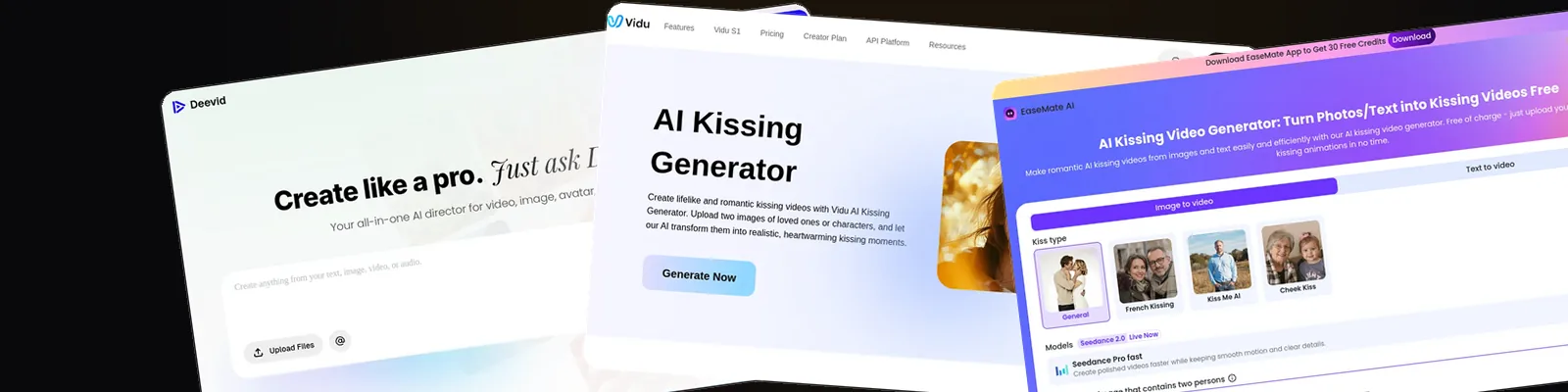
Upload one or two clear, front-facing photos to an image-to-video tool that offers a kissing template, such as Deevid AI or Kling AI. Pick the effect you want (kiss, French kiss, or hug), generate a clip of around 5 seconds, then download it. Free plans usually add a watermark; paid plans remove it. Only use photos of adults who have agreed to appear in the video.
What an AI kissing video actually is
An AI kissing video is a short clip, typically around 5 seconds, generated from a still photo. You give the tool either one photo that shows two people together, or two separate portraits that the tool merges into a single frame. An image-to-video model then invents the motion in between: the two faces turn toward each other, lean in, and kiss or hug.
Technically, this is the same process as any image-to-video AI generation. The difference is that kissing tools ship the effect as a one-click template, so you never write a prompt. You pick "kiss", "French kiss", or "hug" from a menu and the model handles the rest.
People use the effect for couple anniversaries, long-distance relationships, wedding slideshows, and plain silly memes with fictional characters. If you just want a list of tools rather than a tutorial, jump straight to our full roundup of the best free AI kissing video generators.
How to make an AI kissing video, step by step
The process is nearly identical across every tool that supports the effect. Here is the full workflow:
- Pick a tool with a kissing template. Deevid AI and Kling AI both offer one inside their effects library. Open the template rather than the generic text-to-video mode.
- Upload one or two photos. A single photo of both people works, and so do two separate portraits. Use front-facing shots where both faces are fully visible and well lit.
- Choose the effect variant. Most tools offer several options: a soft kiss, a French kiss, a hug, sometimes a forehead kiss. Each variant changes the generated motion.
- Generate the clip. The output is usually about 5 seconds long. Generation takes a few minutes depending on the tool and how busy the queue is.
- Review and download. Watch the result before sharing it. If a hand melts or a face warps, regenerate with a better source photo instead of accepting a glitchy clip.
Tips for a clean, natural result
- Use high-resolution photos. Blurry or heavily compressed images produce blurry, warped motion.
- Keep both faces at a similar size and angle. A close-up paired with a wide shot confuses the model.
- Avoid sunglasses, hands near the mouth, or hair covering the face. Occlusions are the main cause of distorted frames.
- Prefer simple backgrounds. The model spends less effort reconstructing clutter and more on the faces.
- Crop group photos down to the two people you want animated before uploading.
The best AI kissing video tools
Three tools stand out if you want the kissing effect inside a full video generator rather than a one-trick app. Single-effect tools such as Vidu and DomoAI also handle the job well, and we compare them in detail in our roundup of the best free AI kissing video generators. For a wider look beyond this one effect, see our guide to the best AI video generators.
Tools that generate AI kissing videos
These three generators handle the kissing effect from one or two photos, each with a different balance of simplicity, realism, and control.
Deevid AI
Ships kiss, French kiss, and hug templates in its AI effects library, working from one or two photos with no prompt writing. The free tier lets you test the effect before paying; upgrading removes the watermark.
Kling AI
One of the strongest image-to-video models for motion realism, and its kissing effect is a big reason the trend exploded. The trade-off: free generations can sit in long queues at busy times.
Runway
No dedicated kiss template, but its image-to-video mode with motion prompts gives you far more control over the movement. The better pick if you want a specific, directed result rather than a preset.
Want the fastest route? Deevid AI puts the kissing effect one click away from the upload screen, with no prompt writing involved.
Try Deevid AIFree vs paid: what actually changes
Almost every tool with a kissing template lets you try it without paying, but the free tier comes with trade-offs. Expect a small allowance of credits, a visible watermark on the exported clip, standard resolution, and a slower generation queue during peak hours.
Paying removes the watermark, unlocks more generations per month, and usually bumps you to a faster queue and higher output resolution. Whether that matters depends on the use case: a watermarked clip is fine for a private joke between friends, less fine for an anniversary video you want to keep or a post on a brand account.
If your priority is generating as much as possible without paying, the credit policies differ a lot between tools. We break down exactly what each free plan allows in the dedicated kissing generator comparison.
Consent and ethics: read this before you upload
A kissing video is intimate content, even when it is synthetic. That makes the consent question non-negotiable, not a footnote.
- Only use photos of people who agreed. Your partner who thinks the trend is funny is fine. An ex, a colleague, a crush, or a celebrity is not, even "as a joke".
- Never involve minors. No exceptions, in any context, for any reason.
- Respect image rights. In many countries, a person's likeness is legally protected. Creating or sharing fabricated intimate imagery of someone without consent can expose you to civil claims, and a growing number of jurisdictions treat non-consensual synthetic intimate content as a criminal offense.
- Check the platform rules. The terms of service of Deevid AI, Kling AI, and every serious generator explicitly ban non-consensual and sexualized content, and accounts do get banned for it.
- Be transparent when sharing. If a clip could plausibly be mistaken for real footage, say it is AI-generated.
The rule of thumb is simple: if you would not show the finished video to the person in it, do not make it.
Frequently asked questions
Can I make an AI kissing video for free?
Yes. Most tools with a kissing template, including Deevid AI and Kling AI, offer free credits when you sign up. Free exports usually carry a watermark and render at standard resolution. Our roundup of the best free AI kissing video generators compares what each free plan actually includes.
Can I use two separate photos of two different people?
Yes, that is the most common use case. The tool merges the two portraits into one frame and animates the interaction between them. For best results, pick two photos with similar lighting, face size, and camera angle.
How long does it take to generate the video?
Usually a few minutes for a clip of around 5 seconds, though it varies with the tool and the length of the free queue. Paid plans typically get priority processing, which shortens the wait noticeably at peak hours.
Is it legal to make an AI kissing video of someone?
With the person's consent, generally yes. Without it, you may violate image rights, and several jurisdictions now criminalize non-consensual synthetic intimate content. Content involving minors is illegal everywhere. When in doubt, only animate photos of yourself or of adults who explicitly agreed.
Why does my video look warped or distorted?
Almost always a source photo problem: low resolution, faces at very different angles, sunglasses, or hands near the mouth. Swap in sharper, front-facing photos with unobstructed faces and regenerate. A plain background also helps the model focus on the faces.
Which tool makes the most realistic kissing video?
Kling AI and Deevid AI both produce convincing results, with different strengths: Kling leans on raw motion realism, while Deevid makes the workflow simpler and more predictable. We compared them head to head in our Deevid AI vs Kling AI comparison.
Make your first AI kissing video
Upload one or two photos, pick the kiss template, and get a shareable clip in minutes. Deevid AI keeps the whole process to a few clicks, no prompts and no editing timeline.
Try Deevid AI